
You must be an admin to perform this action as access to the settings is required. If you do not have access, please speak to your GoBright Administrator.
The GoBright App must be installed on your phone and you must be logged in as an Administrator.
To reset the GoBright Interact device, log in to the GoBright portal and head to Settings > Devices > Interacts.
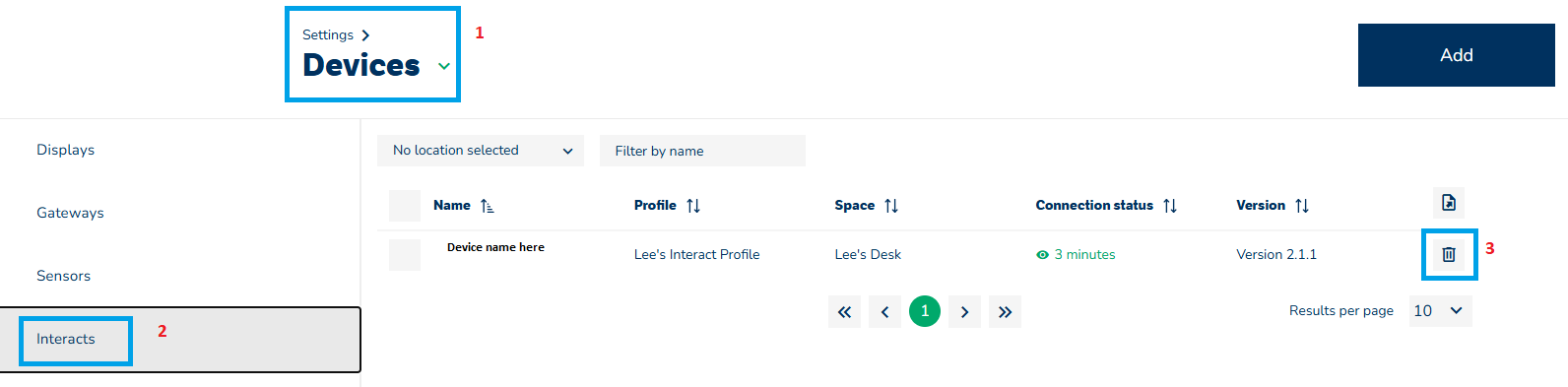 Delete the device (step 3 above).
The device will then show as offline:
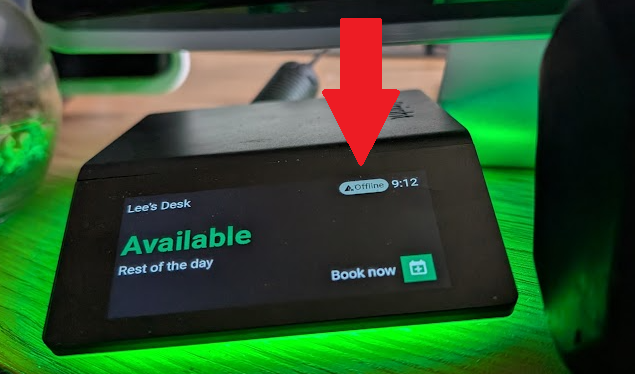
Place your finger on the 'Offline' section and swipe down to bring up the following:
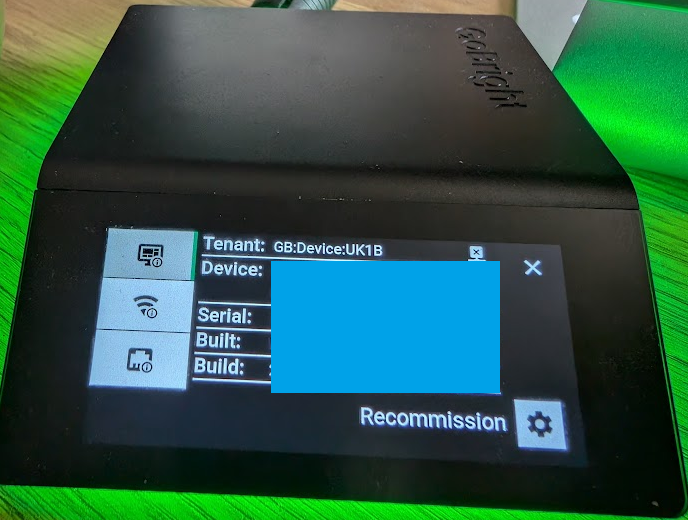
- Select recommission and then confirm you wish to recommission
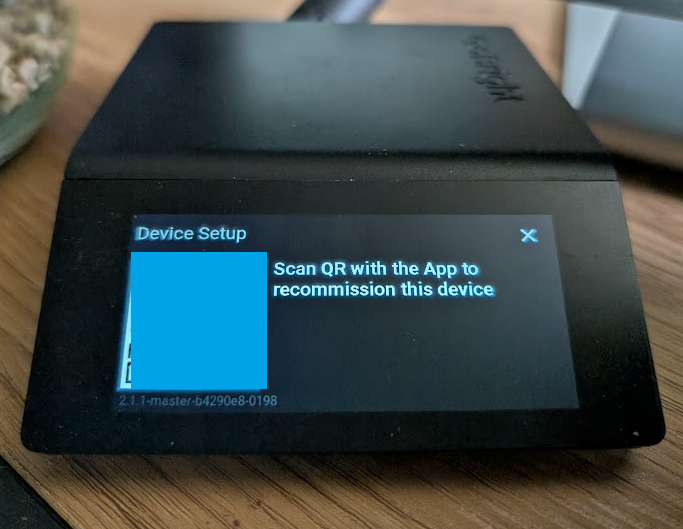
- The Interact will reboot
- You are then presented with a QR code that needs to be scanned.
You now need the GoBright App.
- Load the App and click on the 3 horizontal lines in the top right to bring up the settings menu
- Select Admin tools
- Select GoBright Interacts
- Select 'Commission an Interact by QR code'
- Select your commissioning preset
- Scan the QR code on your phone that is logged in with an admin account
- Complete the next page and make sure the Interact is coupled to the correct room / desk / parking space
- Select 'Commission Device'
After approximately 30 seconds the device will reboot.
If your device is stuck on 'Connecting MQTT over TLS' please ensure that the following firewall rules have been applied:
Outbound 8883 - Traffic over MQTT over TLS to the GoBright platform
The full firewall configuration can be found here:
https://support.gobright.com/hc/en-us/articles/360010024559-Firewall-configuration
Outbound 8883 - Traffic over MQTT over TLS to the GoBright platform
The full firewall configuration can be found here:
https://support.gobright.com/hc/en-us/articles/360010024559-Firewall-configuration